
The amount
What your exposure could cost in a year, always as a range: typical year and bad year.
Predictra analyzes what your organization exposes online, with no agent to install. You get an external exposure score and a costed remediation plan in a dollar range.
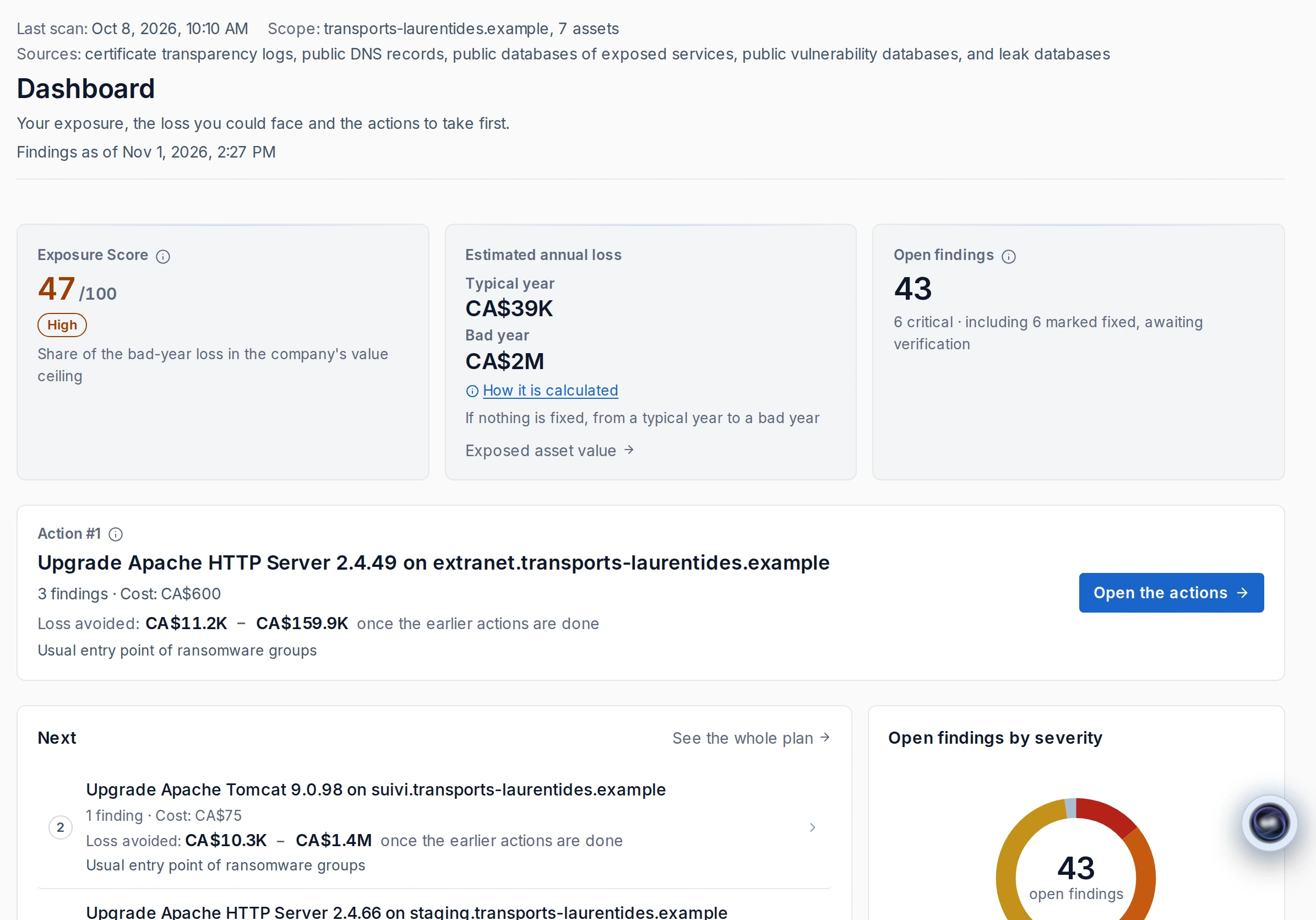
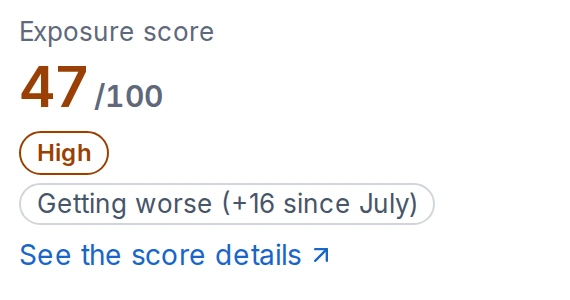
A score out of 100 to place your exposure; a plan to decide what to fix first, based on the possible annual loss each action removes.
It is the share of a bad year’s loss in the company’s value ceiling, scaled to 100. It is always shown with its scale, out of 100. A bad year is a serious incident on the most exposed asset, with the other assets at their typical level. The company’s value ceiling is set from the annual revenue and sector you declare. The How it’s calculated panel shows where each number comes from.
The free scan is a one-time passive review of your domain. On screen: key findings and a preview of the possible annual loss range; a report with numbers is also sent by email. Asset detail and the remediation plan come with the platform. The free scan does not sweep your servers: its only site connection reads the TLS certificate, like a visit, on port 443 for the domain and www.
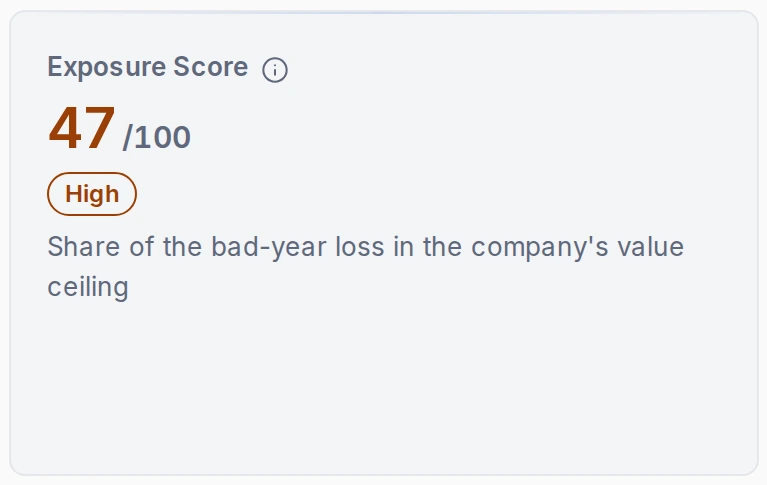
The action that removes the most loss comes first. When the effect is equal, the cheaper action comes first.
For each proposed action, avoided loss is calculated by rerunning the same engine without the findings that action fixes. The plan puts first the action that removes the most loss; when the effect is equal, the cheaper one goes first. Costs follow your managed service provider’s rates or a declared default rate.
Illustration — fictitious organization
Example Inc. · example.com · professional services · 50 employees · Canada. Amounts in Canadian dollars, rounded. Predictra model — public sources.
Organization range: $20,000 (typical year) to $300,000 (bad year).
1. Fix and restrict the remote access gateway. Time: 2 to 4 hours. Reduction: $7,000 (typical year) · $200,000 (bad year). Range after: $13,000 (typical year) – $100,000 (bad year).
2. Reset the 12 accounts found in infostealer logs and turn on two-factor authentication for email. Time: 1 to 2 days. Reduction: $5,000 (typical year) · $35,000 (bad year). Range after: $8,000 (typical year) – $65,000 (bad year).
3. Update the site content manager (2 high-severity vulnerabilities). Time: 2 to 3 hours. Reduction: $3,000 (typical year) · $30,000 (bad year). Range after: $5,000 (typical year) – $35,000 (bad year).
After all three actions: $5,000 (typical year) to $35,000 (bad year) per year, compared with $20,000 (typical year) to $300,000 (bad year) today.
Impact is quantified for the affected asset. Several findings on the same asset share its range.
The finding identifies the affected asset: service, address, account count, detection date and possible annual loss for that asset, as a typical-year to bad-year range. Several findings on the same asset share its range. Every number traces back to an analysis observation, a cited public source or a declared parameter, shown with the calculation.
Illustration — fictitious organization. Predictra model — public sources. Amounts in Canadian dollars, rounded.
vpn.example.com · Remote access
Remote access gateway affected by a known exploited vulnerability
Critical severity · Open · N1
P — Problem: the gateway uses a version affected by a known vulnerability listed in CISA’s KEV catalogue: active exploitation observed.
R — Risk: an attacker could enter the network, then deploy ransomware or take data.
I — Impact: possible annual loss for this asset: $8,000 (typical year) to $290,000 (bad year).
A — Action: install the fixed version; restrict access with two-factor authentication and allowed addresses; review connections since the vulnerability was published. 2 to 4 hours · medium difficulty.
Possible annual loss, ranked fixes and the source of every number.
What your exposure could cost in a year, always as a range: typical year and bad year.
Fixes ranked by the loss they remove; when the effect is equal, the cheaper one comes first.
Every number traces back to an observation, a cited public source or a declared parameter.
Every number traces back to an observation from the analysis, a cited public source or a declared parameter, shown with the calculation. The How it’s calculated panel shows where each number comes from.
From approved access to the executive view: nine safeguarded steps.
Our team reviews and approves every organization before any analysis.
Access is by request. Our team reviews and approves every organization before any analysis. Access opens after your organization is verified.
Legal identity, signatory authority and a sanctions check. Documents are encrypted.
We verify the organization’s legal identity and the signatory’s authority, and run a sanctions check. The documents you provide are encrypted.
No active analysis starts without proof that you control the domain.
You prove control of each domain with a DNS TXT record, a file published on your website or an email to an administrative address. DNS proof is checked each day and within the hour before an analysis. No active analysis runs without this proof.
Three active analysis levels, from least to most intrusive, each with conditions.
Three active analysis levels: N1 active reconnaissance, N2 known vulnerability detection and N3 active application testing. Conditions and traffic are detailed in Active analysis levels (#niveaux).
Problem, Risk, Impact, Action: findings in business language.
PRIA means Problem, Risk, Impact and Action. Each finding states the steps, time required and difficulty. P identifies what was observed; R describes what an attacker could do; I gives the affected asset and possible annual loss as a typical-year to bad-year range; A lists the remediation steps and the loss the fix removes.
Possible annual loss as a range, followed by fixes ranked by the loss they remove.
Predictra estimates possible annual loss as a range, then ranks fixes by the loss they remove.
Analyses repeat according to your plan. History shows what changed.
Analyses repeat according to your plan. Predictra keeps the history and shows what changed since the previous analysis.
An alert when a vulnerability appears, returns or becomes more severe. Findings become Jira or GLPI tickets.
An alert is issued when a vulnerability appears, reappears or becomes more severe. Findings become tickets in Jira or GLPI.
A summary generated from analysis facts that ranks findings and states its limits.
A summary generated from your analysis facts: it ranks findings, proposes decisions and states its limits.
Discovery starts with public sources. Beyond that, three active analysis levels, from least to most intrusive, each with conditions.
Discovery starts with public sources, without connecting to your servers: public certificate transparency logs, other public subdomain sources and the directory of the leak database we use. This discovery is distinct from the active analyses below.
A user in your organization, except the Executive role, proposes classifying a finding as a false positive; the Predictra team accepts or rejects the proposal. An accepted finding stays hidden in later analyses, and its history is kept.
For each live host: web services, technologies and versions, TLS configuration and certificates, and common ports.
For each live host: web services, technologies and versions, TLS configuration and certificates, and a scan of the 1,000 most common TCP ports. Hosts behind a content delivery network are excluded from port scanning. N1 sends TCP connections, HTTP GET requests and TLS handshakes.
Checks of SPF and DMARC records for your domains.
SPF and DMARC records for your domains are checked for email security and email spoofing.
All three levels send traffic to your servers. N2 and N3 tests run only at your request.
Services, technologies, certificates and common ports. Proof of domain control by DNS.
What Predictra does: web services, technologies and versions; TLS configuration and certificates; scan of the 1,000 most common TCP ports. Hosts behind a content delivery network are excluded.
What reaches your servers: TCP connections, HTTP GET requests and TLS handshakes.
Conditions: proof of domain control by DNS.
At your request, subdomain by subdomain. Signed authorization covering N2 and the host.
What Predictra does: known vulnerability detection templates of medium, high and critical severity, run at your request, subdomain by subdomain.
What reaches your servers: requests designed to reveal a known vulnerability and, depending on the templates, attempts with default credentials of known products.
Conditions: signed authorization letter covering N2 and the host; proof of control by DNS, file or email; host neither shared nor provided by a SaaS vendor.
A specific host, an agreed window, a signed letter and an emergency contact. Disruption is possible.
What Predictra does: active application testing with crawling followed by active scanning of a specific host in an agreed time window, capped by default at 1 hour per host.
What reaches your servers: requests that modify parameters and submit forms; junk data, errors or slowdowns are possible.
Conditions: N3 option in the signed letter, proof of control by DNS, time window, emergency contact and administrator role.
The owner or an administrator of the organization, or its MSP, can stop an N2 or N3 analysis in progress at any time.
Detected versions are checked against known vulnerabilities (CVE). The daily watch finds newly published vulnerabilities without rerunning an analysis.
Detected software versions are checked against NIST’s NVD database to flag known vulnerabilities (CVEs). Results depend on version detection; false positives are possible.
Each day, without rerunning an analysis or sending traffic to your servers, Predictra checks already detected software versions against newly published vulnerabilities in the NVD database. This watch never closes a finding. An alert is issued when it finds a new CVE.
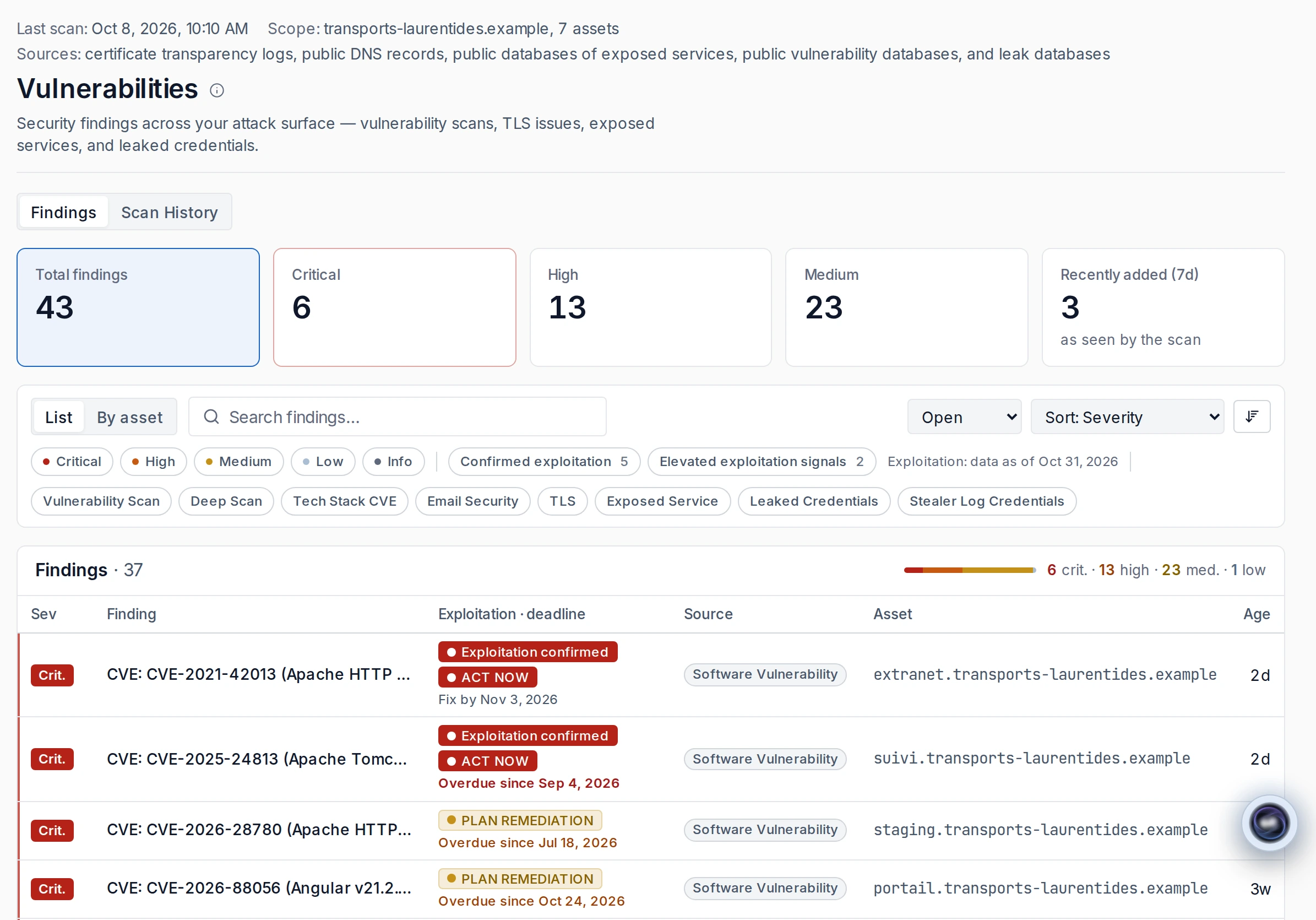
Active exploitation noted in CISA’s KEV catalogue, exploitation probability (EPSS) and product end of life.
Vulnerabilities listed in CISA’s KEV catalogue are flagged: active exploitation observed. Sheets also show exploitation probability (EPSS) and product end of life. Findings distinguish Act now and Plan the fix.
For each CVE: vendor advisories, fixed versions, exploitation probability, KEV catalogue status and end of life.
For each vulnerability (CVE): vendor advisories, fixed versions, exploitation probability (EPSS), presence in CISA’s KEV catalogue and product end of life.
Leaked credentials from your domains are searched in a specialized database. Detail appears only after proof of domain control.
A domain’s leak detail appears only after you prove control of that domain. Public email domains and shared hosting domains are excluded. Results do not yet distinguish staff accounts from customer accounts.
As soon as they are collected, found passwords are replaced by remediation attributes (length, character types and resemblance to a default password) and a non-reversible fingerprint specific to your organization. Predictra never uses a leaked credential to sign in, or even to check whether it works.
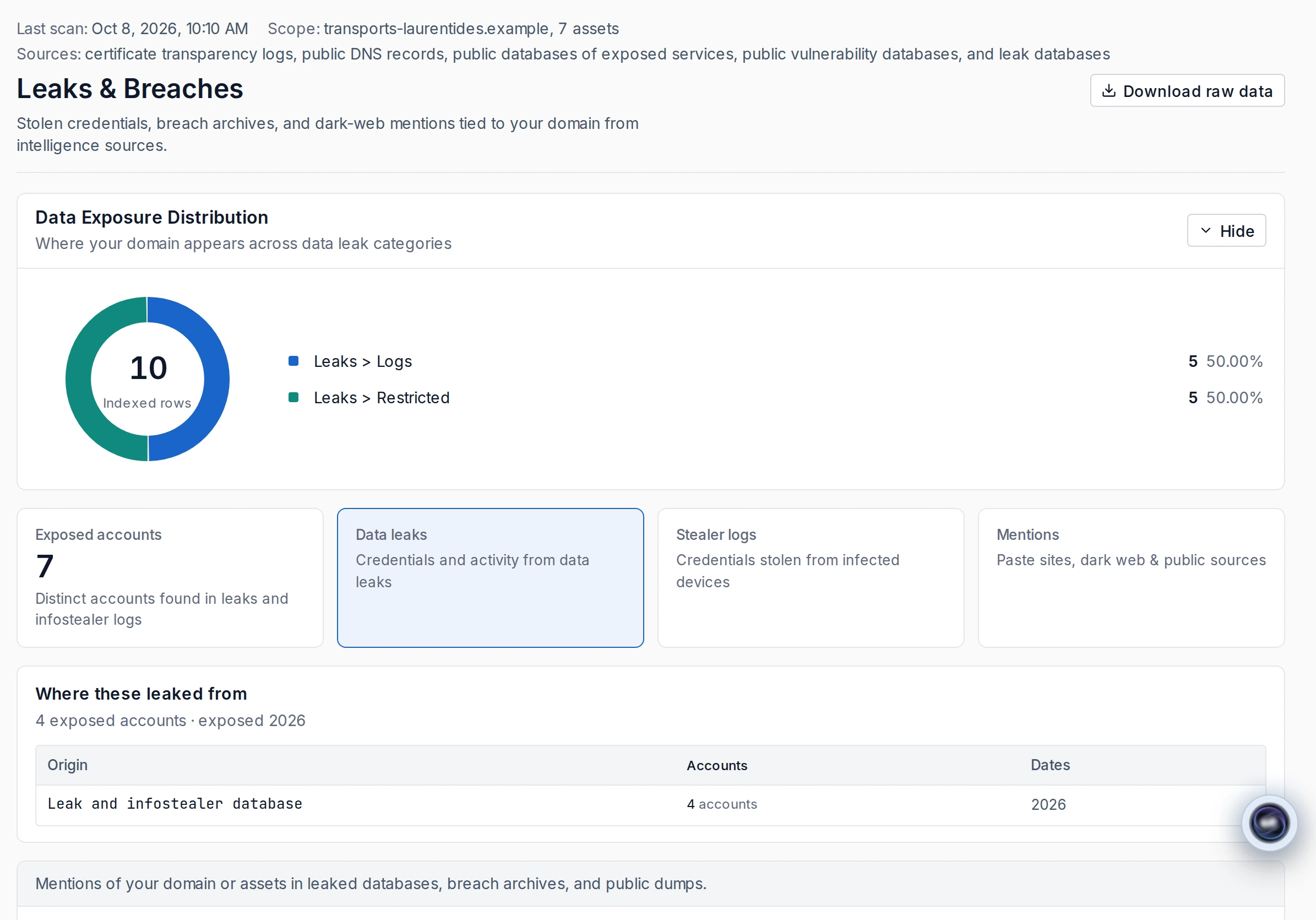
For your domains, searches for infostealer logs indexed by a specialized leak database.
Predictra searches your domains for leaked credentials and infostealer logs indexed by a specialized leak database.
Published work email addresses and job titles are identified for a domain whose control you have proved.
Published staff email addresses and job titles are identified from a service that finds published work email addresses, to measure spear-phishing exposure for a domain whose control you have proved.
Predictra tracks threats concerning your organization from public sources and specialized intelligence sources.
“Based on our data, ransomware incidents have grown, on average, 26% year-over-year since 2021.”
These are incidents known to the Centre.
Source: Canadian Centre for Cyber Security, National Cyber Threat Assessment 2025-2026, published October 30, 2024.
https://www.cyber.gc.ca/en/guidance/national-cyber-threat-assessment-2025-2026
Monitoring of your names, brands and domains in collected .onion pages.
Your keywords (names, brands and domains) are monitored in dark web pages (.onion sites) collected by our crawler. Only dark web sites chosen by Predictra are crawled.
A critical alert if a claim matches one of your domains. A claim is not proof of an intrusion.
Claims published by ransomware groups on their leak sites are tracked from ransomware intelligence sources. If a group claims a victim whose domain matches one of yours, you receive a critical alert. No stolen data is downloaded; only metadata is kept for a ransomware claim. An administrator confirms or dismisses a claim.
Profiles of actors active in your sector and country, from public sources.
Profiles draw on public sources including MITRE ATT&CK, CISA’s KEV catalogue, EPSS, a community threat-actor knowledge base, ransomware and malicious-infrastructure intelligence sources, and news feeds.
Up to 500 variants generated; registered and DNS-active variants are flagged. You classify them.
Predictra generates domain variants used for typosquatting, up to 500, and flags those registered and active in DNS. You classify them as confirmed phishing, false positive or legitimate. Variants are generated when the domain is added.
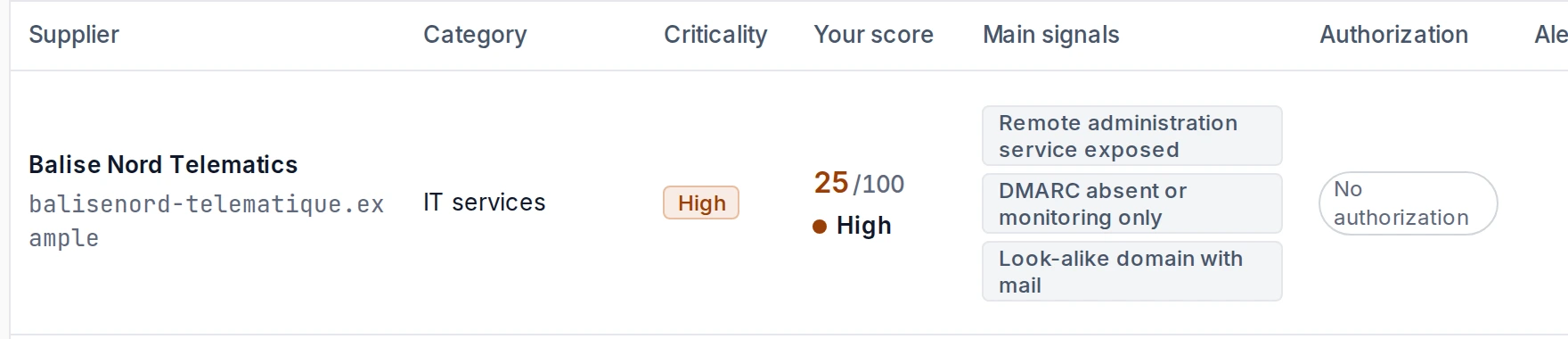
Track their external exposure: a passive posture from public data, your criticality, a score per vendor and key signals.
External exposure monitoring for vendors and subcontractors: a passive posture from public data, your criticality, score per vendor, key signals, profiles refreshed weekly and list import. Active tests only when the vendor authorizes them.
For an MSP: client vendors and vendors shared by several clients.
Based on your profile, Predictra indicates laws and frameworks likely to apply and links findings to relevant articles. Designed to help you document your obligations.
Based on your country, province, sector and size, Predictra indicates laws and frameworks likely to apply: PIPEDA, Law 25 and other provincial laws, GDPR, NIS 2, ISO/IEC 27001, NIST CSF 2.0 and PCI DSS. It links technical findings to relevant articles.
It is designed to help you document your obligations. It is not legal advice or an assessment of compliance; applicability is inferred from the profile you declare. See Law 25 and PIPEDA: obligations of businesses.

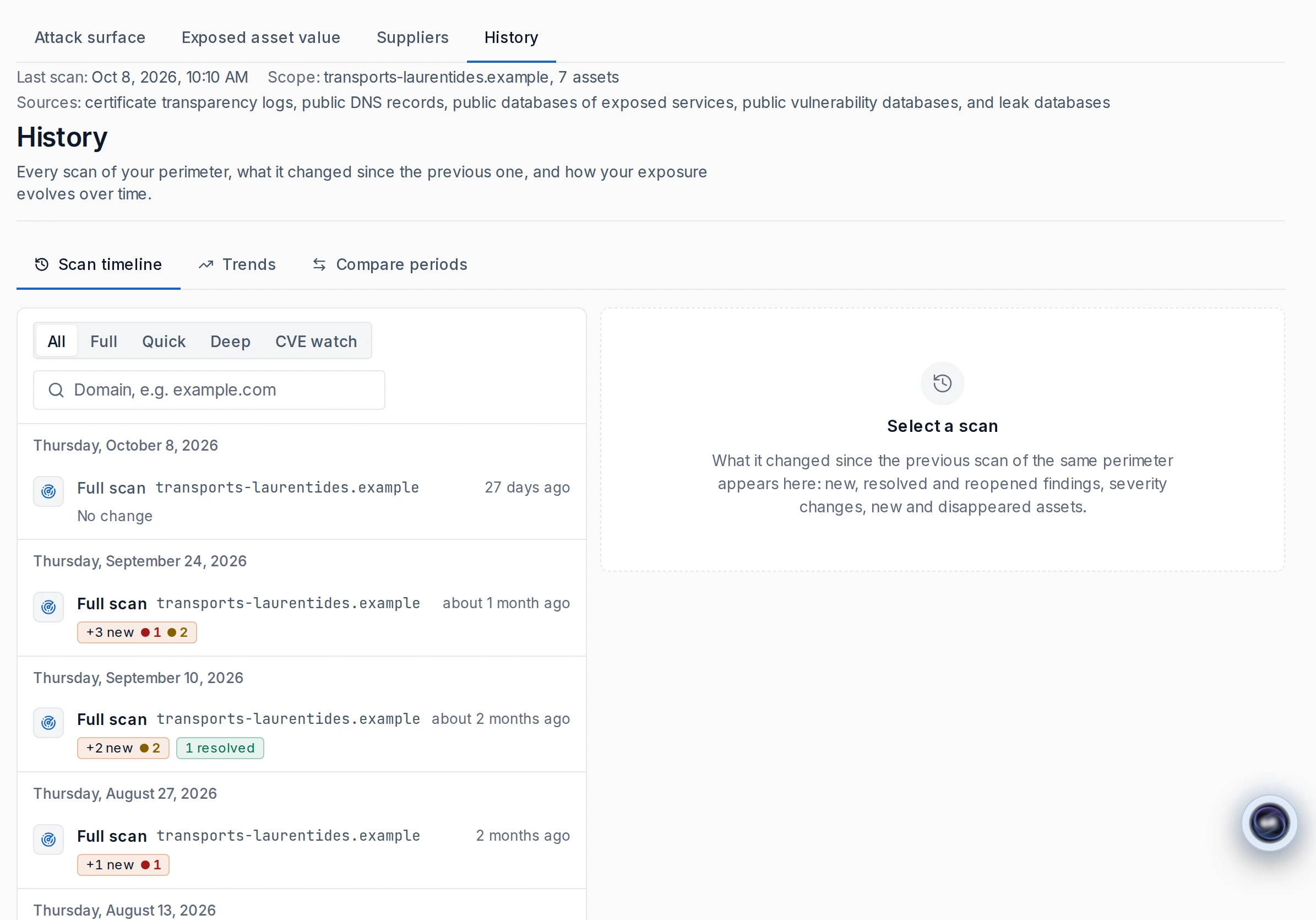
Predictra keeps every analysis and shows changes: new findings, fixes, returns, severity and assets. Compare two months or two quarters.
Predictra keeps the history of every analysis and shows new, fixed or reappeared findings, severity up or down, and assets that appeared or disappeared. The first analysis is the baseline. Compare two months or two quarters and follow open findings by severity, new and fixed findings, and average time to fix. History is kept for 13 months.
A finding closes automatically when a new analysis checks the target and no longer finds it. It reopens if it returns. A finding is never closed after an incomplete analysis. The daily vulnerability watch never closes a finding.
Scheduled discovery analyses run monthly, up to weekly, or up to daily for an MSP’s clients. At a daily frequency, leaked credentials refresh once a week. Manual reruns are limited to 1 or 4 per month depending on the plan, and 10 per client for an MSP. N2 and N3 tests run only at your request.
Choose alert types and severity in the application and by email. Findings become Jira or GLPI tickets at the threshold you set.
An alert is issued when an analysis reveals a new, reappeared or more severe vulnerability, or when the daily watch finds a new CVE. One alert per change type and analysis, without duplicates, with counts, domain and a link. Your MSP team receives it too.
Each person chooses the severity threshold and alert types for the application and email, plus email frequency: immediate, daily digest or weekly digest.
Findings are sent automatically as Jira or GLPI tickets, without duplicates, with a link back to Predictra. You choose and configure the tool. Only findings above your severity threshold become tickets when the analysis ends.
At the end of an analysis, notifications appear for new high- or critical-severity findings and new leaked credentials tied to your domains.
A summary generated from analysis facts, with checked numbers and each sentence linked to its facts. Review it before acting.
Generated from a file of facts drawn from your analyses, it ranks findings, proposes decisions and states its limits. An owner or administrator generates it on demand.
Numbers are inserted from analysis data. An automated check rejects a sentence whose number, host, CVE or date does not match the facts it cites. Each sentence and block points to the analysis facts it uses. The check covers numbers and references, not the soundness of the reasoning.
For an MSP, an executive view for each client.
An executive summary exportable as a PDF.
The Executive Summary can be exported as a PDF. The executive view can be printed or saved as a PDF from the browser. Data export is available in the Professional plan.
The conversational assistant answers questions about your Predictra data. It only reads, with exactly your permissions.
A conversational assistant answers questions about your Predictra data. It only reads, with exactly your permissions. Its answers are generated automatically and may contain errors.
Purpose-fit roles, invitations without shared passwords, app-based two-factor authentication and an access log.
Owner, Administrator, Technical (analysis and operations) and Executive (summary views: executive view, action plan, reports and trends). Members are invited by email and choose their own password.
It uses an app with a one-time code and 10 recovery codes. It is available to all users and required for Predictra staff. Single Sign-On is not available.
An access log, available to owners and administrators, records sensitive data views and Predictra team access sessions and actions in your organization. Predictra staff open a stated, time-limited access session to view organization data; administrative operations are performed outside a session. See Security and trust.
Owner, Administrator, Technical and Executive.
Each member chooses their own password.
App-based, available to all users.
Sensitive views and Predictra team sessions, available to owners and administrators.
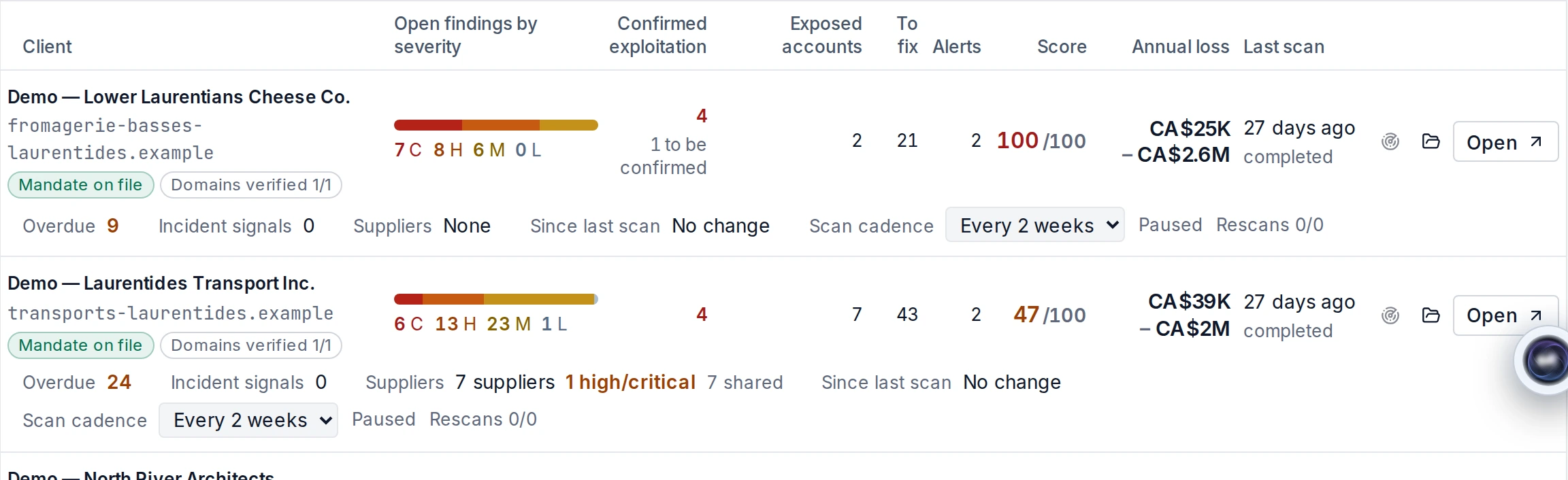
A client portfolio, a costed report per client, your rates in plans, alerts to your team and a signed mandate before any analysis.
For managed service providers (MSPs): a portfolio console, a costed report per client, analysis frequency set client by client, alerts sent to the MSP team and remediation costs calculated using its own rates. The console also shows vulnerabilities across clients. An MSP gets an executive view for each client.
A client is analyzed only after its signed mandate is uploaded, one of its domains is verified and you accept. Conditions for active analysis levels still apply.
Scheduled discovery analyses can run daily for MSP clients. The MSP sets each client’s frequency. At a daily frequency, leaked credentials refresh once a week. Manual reruns are limited to 10 per client for an MSP. N2 and N3 tests run only at your request.
Predictra does not announce an attack. It estimates what your current exposure could cost. Analyses, sources and generated text have limits.
The interface is available in English and French, including emails, the PDF report and tickets. Some notices, and technical data from tools and public databases such as NVD vulnerability descriptions, remain in English.
Some subcontractors and data providers process data outside Quebec and Canada, including in the United States. Their categories and processing locations are published in the privacy policy.
A passive review of your domain, an on-screen preview and a report with numbers by email. Or a presentation of the platform.