
Data breaches
A compromised account database may publish or sell email addresses, usernames and passwords.
Read the details
If staff members used their work address with the compromised service, their credentials may be included.
Email addresses and passwords tied to your domain can end up in data breaches or infostealer logs. Here is what that means, why it is a risk and what to do.
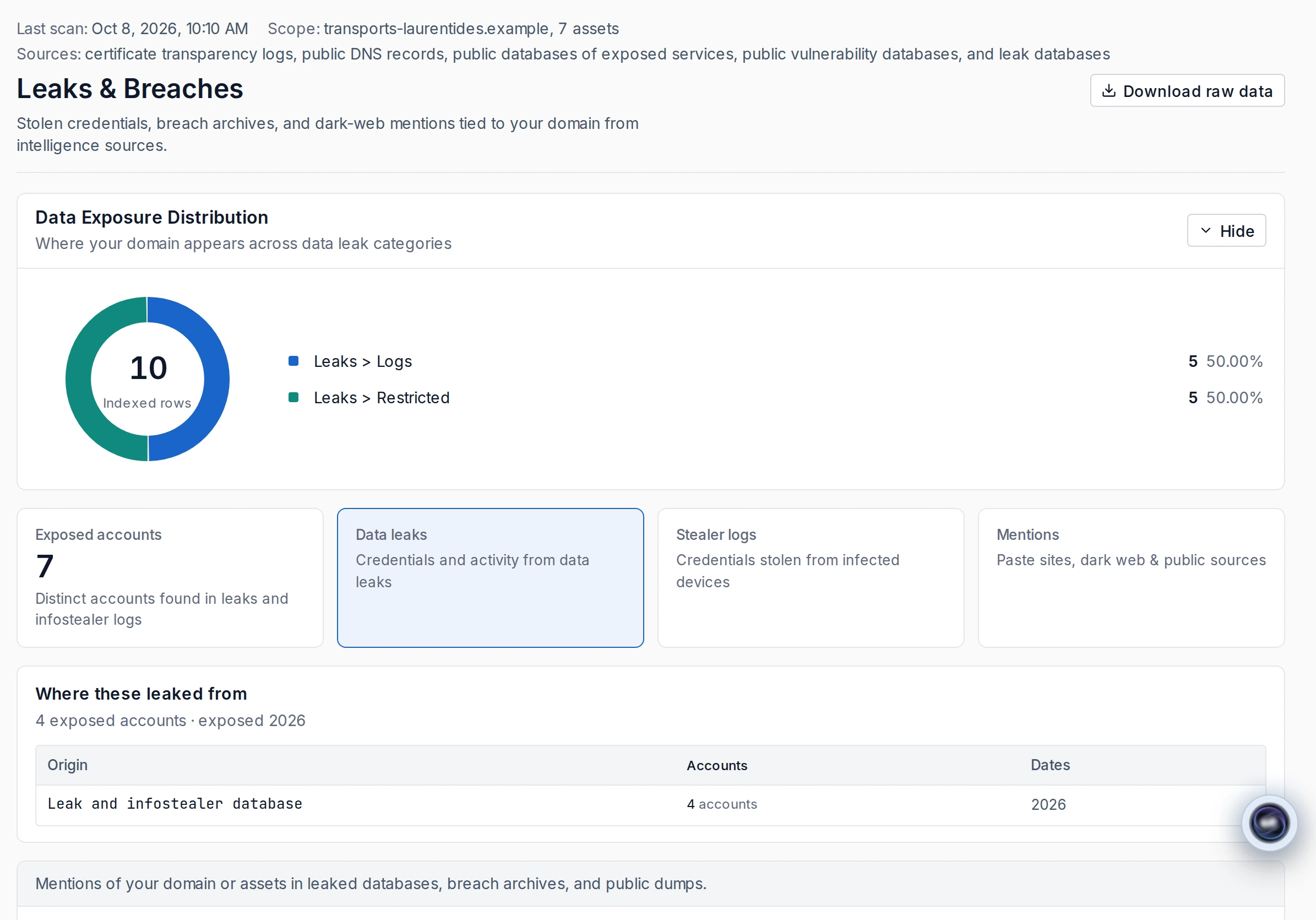
A leak can expose accounts, be combined with other leaks or come from an infostealer installed on a device.
An infostealer installed on a device captures credentials saved in the browser or typed on websites. Its logs often link the website address, username and password.
A compromised account database may publish or sell email addresses, usernames and passwords.
If staff members used their work address with the compromised service, their credentials may be included.
Credentials from many breaches are gathered into large lists.
Attackers can automatically try the same pairs on other services: this is credential stuffing.
An infostealer can capture credentials saved in a browser or typed on websites.
Its logs often link the website address, username and password. They can concern your staff, but also customers who sign in to your services from an infected device.
A reused password may open an important account. A compromised account can then be used for fraud, phishing or initial access.
The following statistic comes from the official source provided.
“Under PIPEDA, unauthorized access accounted for 78% of all breaches reported to the OPC by businesses in 2025-2026. More than two-thirds of those breaches (68%) were the result of a cybersecurity incident.”
A password leaked elsewhere may still open your organization’s email, remote access or a cloud service.
A compromised email account can be used for fraud and phishing your partners.
It can also provide access to other services.
Valid credentials often provide initial access before a more serious attack.
Ransomware is one example of a more serious attack.
If personal information is affected, the event may be a confidentiality incident.
See Law 25 and PIPEDA: obligations of businesses.
Email addresses and job titles published on the web can help measure your staff’s exposure to targeted phishing, for a domain whose control you have proven.
Start with the most sensitive accounts, then address the compromised device and obligations related to personal information.
The Canadian Centre for Cyber Security recommends two-factor authentication wherever possible.
Reset the passwords of affected accounts, starting with email, remote access and administrator accounts.
Turn on multi-factor authentication, first on important accounts: administrators, executives, financial and cloud services.
Prohibit password reuse and provide a password manager.
Clean the infected device when the leak comes from an infostealer: changing the password is not enough while the device remains compromised.
Review recent sign-ins on affected accounts, looking for unusual locations or devices.
Assess your obligations if personal information about customers or employees is involved.
Predictra finds leaks tied to your domains, limits who can see the details and turns each leak into a PRIA finding: Problem, Risk, Impact and Action, with steps to follow.
The free scan gives a first count of the leaks indexed for your domain.
Search for leaked credentials and infostealer logs indexed by a specialized leak database.
The results do not yet distinguish your staff’s accounts from your customers’ accounts.
Details of a domain’s leaks are shown after you prove that you control the domain.
Public email domains and shared hosting domains are excluded.
Passwords found are replaced as soon as they are collected by useful attributes and a non-reversible fingerprint.
The attributes include length, character types and resemblance to a default password. The fingerprint is specific to your organization.
Views of leak data are recorded in the access log.
The owner and administrators can consult the log.
Each leak becomes a PRIA finding: Problem, Risk, Impact and Action.
Actions can include resetting passwords and turning on multi-factor authentication.
A notification flags new leaked credentials tied to your domains.
Predictra never uses a leaked credential to sign in or to check whether it works.
Canadian Centre for Cyber Security · Baseline cyber security controls for small and medium organizations (BC.5.1, Implement two-factor authentication) · Accessed October 7, 2026
Canadian Centre for Cyber Security · Secure your accounts and devices with multi-factor authentication (ITSAP.30.030) · Accessed October 7, 2026
Canadian Centre for Cyber Security · Password managers: Security tips (ITSAP.30.025) · Accessed October 7, 2026
Get a first count of the leaks indexed for your domain.